
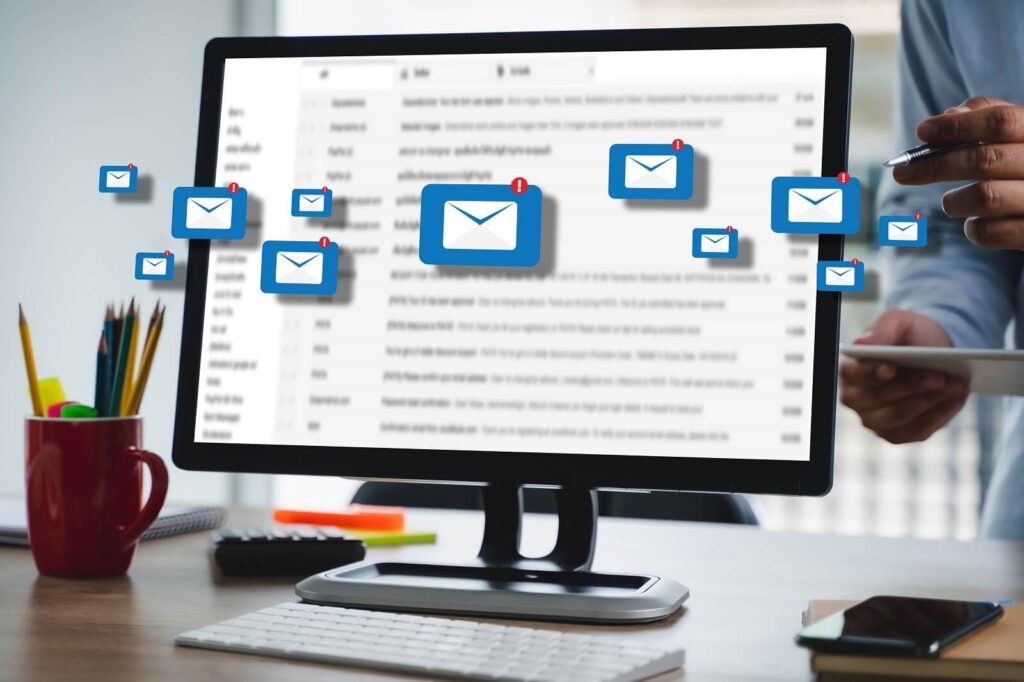
Somehow, the modern inbox has become a nightmare, not a handy tool. If you run a business, agency or team, waking up to a wall of unread emails is a sure-fire way to feel drained before you’ve had your first cup of coffee. Every message is a choice, a quick reply, a distraction that takes you away from the work that truly grows your business.
Every week you spend hours of precious focus wading through sales pitches, client updates, team questions and endless notifications. It’s pretty shocking when you stop and think about how much time you spend acting as secretary to your own inbox.
It’s precisely this daily battle that has so many founders and busy leaders hiring email management virtual assistants. Hiring a virtual assistant provides a flexible and cost-effective solution instead of expensive local staff, time-consuming hiring procedures, and additional desk space. A trained email VA will seamlessly integrate into your current system and turn a cluttered, chaotic inbox into a serene, efficient system. They take care of the daily grind so you can return to your calendar, and focus on the big picture.
Stop doing it all. Delegate more.
Hire a vetted virtual assistant and get your week back — starting with a free discovery call.
There are so many more benefits than just getting to “inbox zero.” When someone else is at the helm, your daily stress levels drop immediately because you’re no longer worried about missing a critical note or losing a lead. Response times speed up, giving your business a sharp and reliable look. And best of all, you get real hours of deep, uninterrupted focus time back in your day, every day.
The process is completely painless when you team up with a reliable remote team. VA Staff partners busy professionals with pre-vetted Filipino virtual assistants who already know how to handle busy, high-volume inboxes. They match you with a person that fits your favorite software, your business style and your unique brand voice, so that the hand-off is seamless from day one.
1. What Is an Email Management Virtual Assistant?
Knowing that an email virtual assistant is not simply a general remote employee helps. A general VA will do a little bit of everything- social media posts, quick research, light data entry. While that’s super helpful for random tasks, an email specialist’s job is the precise art of clear digital communication. Your inbox is a high value work space that needs to be carefully tended to every day.
The best email assistants take time to learn how you speak and write. They soak in your tone, your way of saying things, how you deal with clients, vendors and your internal team. They learn your daily flow and when an issue is urgent enough to interrupt you and when it’s something they can easily take care of themselves. Additionally, professional VAs follow strict privacy standards, so your sensitive business conversations and private client information are kept 100% secure.
An email VA is more than just sorting through your emails, it’s your own personal gatekeeper. They watch several email accounts, clearing out cold pitches and junk updates before you even have to see them. They compose thoughtful, accurate routine responses, handle schedule requests, and forward urgent messages to the right people with all of the needed context attached.
2. Why Your Business Needs an Email Management VA
All day long you waste hours that could be spent on high-impact work wading through an endless stream of messages. When an executive or business owner is spending two or three hours each afternoon reading threads, typing the same replies over and over and tracking down pending approvals, they are trading high-value business growth for low-value chores. The ongoing distraction has a huge hidden cost, pulling you away from closing deals, developing your products, or leading your team.
Adding an email assistant to your team provides an immediate boost to your overall productivity. The administrative fluff that you get rid of frees your brain up for work that really makes money. You can focus on one project and not be pulled out of the zone every time a new notification pops up on your screen.
And your customer service gets a boost, too. It’s easy for a harried business owner to sound abrupt, or to send messages with typos, when trying to type quick replies from a phone between meetings. A dedicated assistant spends time making sure every outbound email is warm, professional and clear. Clients see you being attentive and consistent, and that builds tremendous trust over time.
Plus faster response times put you way ahead of the competition. Potential clients want quick answers. If it takes you a day or two to respond, they’ve usually moved on to someone else. Your inbound messages are monitored and replied to in real-time by an assistant who can respond to quick questions or book calls before a hot prospect cools off.
It’s easy to be organized when someone else is tracking the details. Your assistant keeps track of key information, tracks promises buried in long email chains, and makes sure action items are moved to the right place. The background hum of anxiety from staring at a three-digit unread badge is gone, replaced by an easy, organized system that runs smoothly even if you step away for a vacation.
3. Key Roles and Responsibilities of an Email Management VA
The job of an email assistant is to organize your inbox. They set up smart folders, add helpful tags, and archive old chats to keep your main screen clean and easy to maintain. They built smart filters to move low-priority email out of your main view, eliminate spam, and make your workspace simple to search and investigate.
Sorting priorities and drafting responses takes a little more time and judgment. Your assistant filters incoming mail to identify what is really urgent and what just needs to be filed. They answer regular questions themselves, write up replies for you to quickly approve, and distill long, messy conversations so you can make a decision in seconds without reading every single back-and-forth note.
Of course, managing your inbox is tied to managing your calendar. Virtual assistants can help you set up meeting invites, make realistic meeting time suggestions, handle time zone differences and send gentle reminders so people turn up on time. If two meetings conflict, they find a new time themselves by email, saving you the hassle of the back-and-forth.
Keeping your lists of contacts clean will make your customer database correct. Your assistant adds new contacts, tags people so you know where they are in your sales process, and removes old addresses. It helps you keep your records organized and ensures that you can quickly find the contact information you need whenever you need it.
Another common task of modern VAs is email marketing assistance. They can help you create regular newsletters, set up lists of recipients for specific campaigns, schedule broadcasts and keep an eye on basic results. They track open rates and maintain clean lists. They help you protect your sender reputation so your emails don’t get caught in spam.
If a company spends all day talking to customers, then operating a customer support desk is a quick fix. Your friendly first responder for incoming questions, this assistant responds quickly to common questions using your approved templates. When a tricky or technical issue arises, they gather the critical information and hand it off effortlessly to your internal team.
One of the most valuable things a VA can do is follow up on leads and vendors. They track pending responses from prospects, vendors, or teammates who owe you deliverables. They send courteous, timely check-ins to keep conversations moving forward so valuable deals never fall through the cracks just because life got busy.
4. Common Tools and Platforms Email VAs Manage
Experienced virtual assistants know all manner of popular business software. They are familiar with Gmail, Google Workspace, Microsoft Outlook and Apple Mail in terms of main email platforms. They know how to set up professional signatures, manage alias addresses, run shared team inboxes and search features to locate missing files or old notes in a flash.
Scheduling tools are also a big part of their daily work. Booking software is also common – Calendly, Google Calendar, Outlook Calendar, Acuity Scheduling, etc. They know how to build time buffers between meetings, deal with automatic time zone updates, and ensure video links are included on every invite.
Support desk platforms keep multi-channel customer queries clean for VAs. They are familiar with tools like Zendesk, Freshdesk, Help Scout and Front, that allow them to sort incoming tickets, use canned responses for common questions, escalate urgent issues and tag messages so you can identify common customer complaints.
The handling of e-mail is directly related to CRM systems and databases. A good assistant keeps records up to date in software like HubSpot, Salesforce, ActiveCampaign, and Zoho CRM. They update client profiles with new email conversations, push leads through your sales pipeline, and make sure your entire team is working from the same playbook.
Task boards and team chat tools can help link your inbox to your day-to-day projects. Assistants fill the gap with tools like Slack, Asana, Trello, Notion and ClickUp. Your assistant turns every new email task into a clear action item on your project board so nothing falls through the cracks.
5. Signs You Need an Email Virtual Assistant
The key to knowing when to ask for help is usually by watching your energy flow each day. If you spend an hour or two every afternoon just opening, reading, sorting and replying to messages, you’ve reached a point where delegation makes total sense. That time can be spent meeting new clients, improving your services or taking a well-deserved break.
Another red flag: critical client notes and promising sales leads languishing in your inbox for days on end. If you see a deal slip through your fingers or annoy a good client because their note got buried under a pile of sales pitches, then it’s a clear sign that your current routine is no longer working.
Another red flag: falling behind on basic follow-ups. When invoice confirmations, vendor questions, or project check-ins consistently lag behind schedule, your business slows down. If you constantly find yourself sending late-reply apologies, you’ve simply grown beyond what you can handle yourself.
A more subtle sign of burnout is that you find it hard to sound warm and helpful in your daily notes. When you’re tired, in a hurry, your answers tend to be short, blunt, or full of typos. Over time, that can damage the friendly, attentive image you have worked so hard to cultivate with your clients.
When you see a high unread count on your phone and you feel a knot in your stomach, it’s time for a change. You want the way you communicate day-to-day to be put together and easy, not like you’re doing some scary thing that makes you hate going to work.
6. How to Safeguard Your Data and Privacy When Delegating Your Inbox
It’s completely normal to be a little scared about giving someone access to your inbox in the beginning. Fortunately, modern security tools make it safe and easy to share access without giving out your personal passwords. Tools like 1Password or LastPass let you share login access in a secure way, and you can revoke that access in a click whenever you want.
Adding standard security controls adds another strong layer of protection. Modern systems like Google Workspace and Microsoft Outlook come with delegation features that enable an assistant to read, draft and send messages on your behalf without having access to your underlying account settings, payment options or personal files.
Establishing clear boundaries helps keep private information private. You can create hidden folders and password-protected folders for your financial information, personal notes, or sensitive documents so that they are completely out of sight.
Non-disclosure agreements give you an extra layer of security before you bring anyone new in. Professional agencies will require virtual assistants to sign legal confidentiality agreements, and will have strict policies around data security. Coupled with secure networks and good habits, your information is 100% safe.
7. How to Get Started with VA Staff
Starting with an email assistant should be simple and straightforward. The first step is a short phone call where we discuss the issues you are presently facing with your inbox. You’ll talk about the number of emails you receive in a day, the software you use and how you like to communicate. This gives the recruitment team a clear idea of who would fit best into your workflow.
When you know what you want, you’re matched to a pre-vetted assistant with the right skill set and background. You’ll get to chat to them, ask questions and make sure you’re totally happy with their style before you make any decisions.
It’s easy and smooth to get things set up once you’ve chosen your assistant. VA Staff helps you set up secure access, shares best practices, and helps you create your first set of response templates. With continued support behind you, you can pass on your daily email responsibilities with absolute confidence and re-focus on growing your business.
Summary
Hiring an email management virtual assistant is about more than just inbox zero, it’s about getting back your time and focus. You reclaim precious hours each week by delegating repetitive sorting, drafting and scheduling to a talented remote assistant so you can focus on work that really moves your business forward.
Fast, intentional, organized communication builds strong client relationships and great opportunities never get lost in the clutter of a busy inbox. An organized inbox brings calm back to your workday and helps prevent burnout with the peace of mind that comes with it.
If handling your messages seems like a full-time job that’s holding you back, taking that first step toward delegation can make all the difference. It’s one of the simplest ways to run a smoother business and finally liberate yourself from administrative stress.
Frequently Asked Questions
What tools and email clients can an email management VA work with?
A good virtual assistant can work on all modern email and office apps. They are very comfortable with Gmail, Google Workspace, Microsoft Outlook and Apple Mail. They know how to use calendar tools like Calendly, help desks like Zendesk or Help Scout, CRMs like HubSpot or Salesforce, and team software like Asana, Trello, and Slack.
How does an email VA learn to match my exact voice and brand tone?
Your assistant learns your tone by reading past emails you’ve sent, checking out your website, and quick template guides created during onboarding. They will first write replies as drafts for you to edit and tweak. They learn your favorite phrases and writing style quickly, and can craft messages that sound just like you wrote them.
Is it safe to share sensitive business inbox access with a remote VA?
Yes, it is very safe if you use the right security tools. Instead of handing over your main password, you can use built-in email delegation features in Google or Outlook that provide access without giving up control of your main account. Other possibilities are using secure password managers (e.g., LastPass), two-factor authentication, hiding personal folders, and having your assistant sign a non-disclosure agreement.
What is the difference between a general virtual assistant and an email specialist?
A general assistant can do a wide range of basic tasks; from web research, data entry or social media scheduling. An email specialist is all about communication, managing inboxes, writing responses, scheduling calendars, and providing customer support. They’ve been trained on busy, complicated inboxes and have specialized experience with email workflows and CRM tools, so they’re much faster at it.
How long does it take to onboard an email management VA from VA Staff?
Getting started is quick and easy. After an initial chat to discuss your needs, you can typically meet pre-vetted assistant matches within a few business days. Once you choose your assistant it takes a matter of a few hours to set up delegation and share basic templates so they can start to take things off your plate almost immediately.
What's your business?
Company name and what you do — a line is plenty.
How many VAs do you need?
A rough number is fine — you can scale later.
What do you need help with?
Pick a category — you'll choose specific roles next.
Which roles do you need?
Pick any that apply — or add your own below.
How many hours per month?
Full-time or part-time — pick what fits.
Where do we send your matches?
We'll email you a shortlist of VA candidates.
You're all set!
We'll review your answers and send a list of matched VA candidates to your inbox — usually within one business day.
Or book a free call now →