
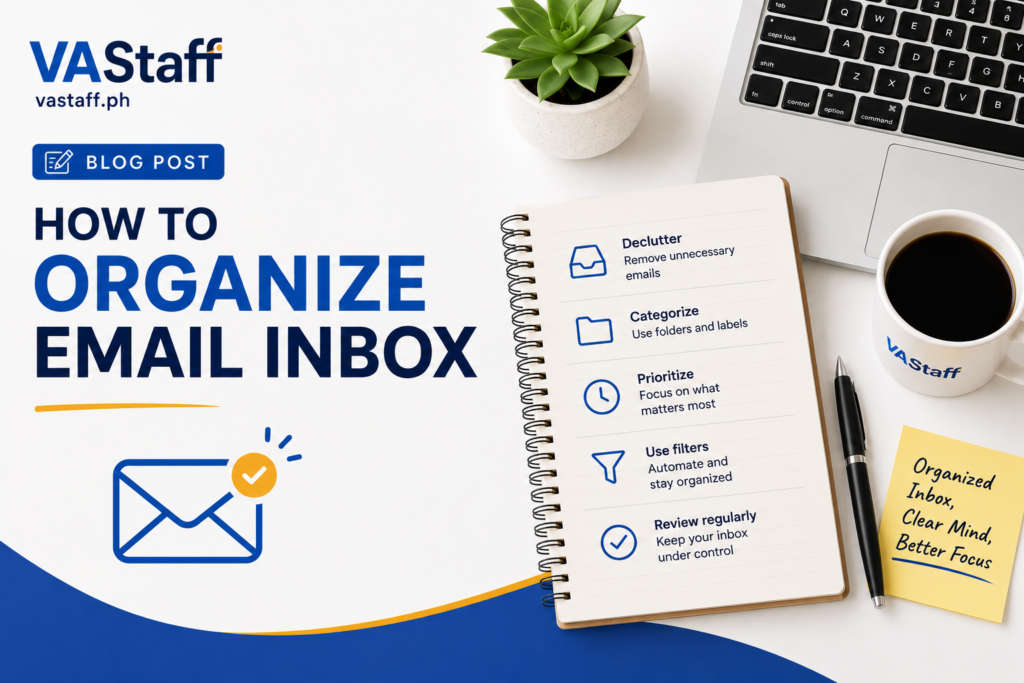
One of the biggest silent killers of productivity in today’s business world is an overflowing email inbox. It creeps up on you, it’s always stealing your attention and it leaves a layer of subtle, annoying stress humming in the background of your workday. Every unread notification is a mini-deadline, and you wonder quietly if you’ve missed an urgent client message, a critical invoice, or a high-value sales lead, buried somewhere under a mountain of marketing spam.
Getting control back of your communication doesn’t involve buying complex software or spending hours a day sorting through incoming messages. It really comes down to having a simple, repeatable routine. Your goal isn’t necessarily to look at a clean “Inbox Zero” screen every single second of the afternoon. It’s about creating a system in which every incoming message has a clear and predictable destination.
If you look at each email with 5 simple options Delete, Delegate, Respond, Schedule or Archive, your inbox no longer feels like a crazy, overwhelming to-do list. It reverts to what it was always meant to be: a simple landing pad for new information. At VA Staff we help busy founders and teams clean up these very processes every day. This is a no-nonsense, step-by-step guide to getting your email inbox sorted once and for all.
Stop doing it all. Delegate more.
Hire a vetted virtual assistant and get your week back — starting with a free discovery call.
Start with Inbox Cleanup
Trying to sort through an inbox with thousands of unread emails is like trying to sweep a floor while people are walking all over it in muddy boots. Before you can start building new folders or writing slick automation rules, you need to give yourself a fresh start with a deep initial sweep.
The first step is to clear the obvious junk in bulk. Just do a quick search for standard promotional phrases like “unsubscribe” or “view in browser” and you’ll uncover most of your commercial mailings, letting you wipe out marketing clutter in one fell swoop. Now take the time to unsubscribe from any newsletters you haven’t opened in the last month, and delete duplicate calendar updates, system alerts and automated notifications that aren’t really adding value.
It’s also worth doing a quick search for emails with large attachments, so you can free up storage space and dump bulk files you already have saved elsewhere on your computer. And a good practical rule of thumb here is to pay attention to anything older than six to twelve months. If a message has been sitting there for half a year and you don’t need to do anything with it, it’s 100 percent safe to select the batch and archive it. But the messages won’t be gone forever, just out of your daily workspace so you can focus exclusively on the conversations that really matter today.
Build a Simple Folder System
The biggest mistake people make when organizing their email is creating too many folders. Fifty hyper-specific sub-categories takes way too much mental effort to keep up with, and you’ll almost certainly throw in the towel on the whole setup in less than two weeks. Make your folder structure light, practical and painless to navigate to make your organization stick
A good folder structure really doesn’t need much in the way of categories to keep things running well. You want to keep an Action Required folder for messages that require a reply, decision or task completed by you, and a Waiting For folder for any threads where the ball is squarely in someone else’s court. Outside of those active spaces, you can create general categories such as Clients for active accounts, Finance for invoices and receipts, HR / Team for internal staff notes, Vendors for software tools and external contractors, Projects for ongoing operational builds, and Reference for static guidelines or policies you might need to refer to later.
If you’re using Gmail you can create this same setup with labels instead of folders. Labels add the flexibility of adding two tags to a single thread, say, both “Finance” and “Action Required” to an email, without adding to the clutter in your left-hand sidebar.
The 5 Decision Email Rule
Whenever you open a new message, make a firm commitment to yourself not to close it until you have made a clear decision. Every week hours of valuable energy get drained by reading an email, feeling a little overwhelmed, leaving it in your main view, and then reopening it four separate times during the afternoon.
Instead, use the 5-Decision Rule to every email on your very first read:
- Delete: If the message has no future value and no action is required, delete it immediately.
- Archive: If you think you may need to refer to this information later for record-keeping purposes, but don’t need to act on it now, send it directly to your Archive.
- Reply: If an email requires a brief answer that will take less than two minutes to write, write your Reply right then, send it, and file the thread away.
- Delegate: If it is really for someone else on your team or needs administrative handling by a support assistant, Delegate it right away.
- Schedule: When the message is deep work, research, or a long response, Schedule the item by putting it on your task list and blocking out a dedicated window on your calendar to do it right.
The good news is that you won’t be re-reading the same exact message all week long if you choose one of these 5 solid selections your first time through.
Separate Emails That Require Action
Your main inbox should be a temporary holding pen for unread messages, not a perpetual project dashboard. When actionable tasks get mixed in with random, read-only updates, important daily priorities get lost in the cracks.
If an email requires you to step up – whether that means writing a detailed response, reviewing a draft doc or making an executive business decision – move it directly out of your primary inbox view and straight into your designated Action Required folder or label.
This helps keep your main inbox view nice and clean and focused. When you sign in, your only job is to process the incoming items and move actionable items to your focus folder. Then, you work on your focus folder during dedicated focus blocks throughout your day.
Create a “Waiting For” Folder
If you have a business, or manage a team, a huge part of the daily email stress is trying to remember who owes you what. You ask for a quote, send a proposal, request a file and then you are left with just your memory to chase them up if they forget to reply.
This is the beauty of the Waiting For folder. Whenever you send an email that requires an important reply or deliverable from someone else, put a copy in this folder or tag the thread accordingly.
Once or twice a week, spend a few minutes scrolling through your “Waiting For” list. If you haven’t gotten that vendor’s estimate four days later, you can send a quick, polite follow-up right there without digging through your sent folder or stressing about forgotten details.
Configure Email Rules and Filters
Why sort each and every message yourself when your email app can take care of all the heavy lifting automatically? Spend a few minutes writing some simple rules and you won’t have to make hundreds of annoying manual clicks and sorting decisions every month.
You can quickly set up automatic rules to direct incoming traffic as soon as it hits your server. All newsletters, industry updates, marketing digests can be sent straight to a separate “Reading” label, so that they don’t even appear in your main inbox and can be parked there for your free time. Incoming invoices, bills and purchase receipts containing words like “statement” or “receipt” can be sent directly to your Finance folder. You can also set rules to automatically tag emails from specific client domains, send candidate résumés straight to HR and auto-archive system notifications so they sit quietly in reference folders until you actually need them.
Behind the scenes, automated rules do the heavy lifting for you, so all you have to deal with in your main inbox view are actual conversations from real humans.
Use Email Search Rather Than Making Too Many Folders
Another mistake in getting organized is having separate sub-folders for every client, vendor or individual project phase. Keeping up that kind of granular filing system is tedious at best, and usually ends up costing way more time than it saves.
Tools like Gmail and Outlook today have very fast, very sophisticated search capabilities. Instead of wasting precious time dragging emails into micro-folders manually, you can depend on your search bar to pull up old records whenever you need them.
You can bring up just about any previous conversation in seconds by using specific keywords and operators. Sender searches (e.g., from:client@company.com) bring up everything from a specific person, and subject parameters (e.g., subject:proposal) quickly bring up relevant thread titles. You can also filter searches using has:attachment to find specific files and PDF documents A simple folder list keeps your system managable and depends on search to do the heavy lifting when you want to look back.
Unsubscribe From Unwanted Emails
Every unwanted promotional email or sales pitch that lands in your inbox takes a little bit of your daily focus and bandwidth. It’s easy to get into the lazy habit of just hitting “delete” on recurring junk mail every morning, but if you take that passive approach, you guaranty the exact same senders will continue to clog up your inbox tomorrow, next week, and next month.
Take three more seconds and ask yourself if you would really care if you never heard from that person again by email. If the honest answer is no, take immediate steps to kill the connection at its root. To unsubscribe, just scroll down to the link at the bottom of this email, or use the built-in buttons in your inbox to unsubscribe.
If a persistent sender makes it impossible to unsubscribe or just ignores your request, create a quick filter to block or auto-delete everything coming from that domain. Don’t just dismiss unwanted email as harmless background noise – clean it out for good, so you’re not swiping it away every morning.
Set Specific Times for Checking Email
Having your email on a second monitor and clicking on every notification that pops up is a total concentration killer. If you bounce between deep strategic work and incoming messages, you’ll feel scattered and completely wiped out by mid-afternoon.
Rather than sitting logged onto your inbox all day, schedule set windows to deal with your correspondence:
- Morning (20-30 minutes): Power through urgent emails, respond to immediate client demands, and set your priorities for the day.
- Midday (15-20 minutes): Review updates, respond to team questions, reply to quick messages post-lunch.
- Late Afternoon (20–30 Minutes): Do one final pass to clear all pending items, review your “Waiting For” folder, and set up your priorities for tomorrow.
If your role is very client-facing or tightly tied to urgent customer support then you may naturally require slightly more frequent check-in windows. But still, if you want to protect your focus and get real, high-value work done during the day, batching your email into defined time blocks is important.
Use Templates for Repeat Replies
If you’re typing the same responses over and over again, whether that’s for basic pricing questions, setting up calls, or walking through onboarding, you’re wasting precious time on repetitive admin that could be automated.
Use built-in features like Gmail Templates or Outlook Quick Parts to save pre-written answers for your most common communication scenarios. They are amazingly well for:
- Sending call links and confirming time
- Frequently asked questions about service or pricing
- Acknowledgment of receipt of documents or payments
- Following up on invoices or quotes that are due
- Requesting missing onboarding information from new clients
Once these templates are set up in your system, it takes mere seconds to respond. Just drop the pre-formatted snippet into your compose window, change a name or a quick detail if necessary, and hit send, turning a tedious typing chore into a two second action.
Flags, Priority Markers and Stars: Use With Care
Bright red flags, stars, high-priority tags and other visual markers are great tools to identify important items, but their power is completely lost when they are overused. But if half your inbox is filled with bright red icons, then those visual cues are just meaningless noise that aren’t telling you anything useful.
If you want them to have any real value, use visual markers only for actual time-sensitive events that require immediate action. Use them for those high priority client requests that just can’t wait. For those critical approvals that are holding up an active project. For those urgent technical issues that need immediate troubleshooting.
If it’s just a normal thing you need to do at some point, rather than flag it as urgent and clutter up your screen, move it to your Action Required folder or send it to a project manager. The fundamental rule of visual prioritization must always be borne in mind: if everything is important, nothing is.
Make a Daily Inbox Routine
The one thing that makes a smooth email system from an inbox that turns into clutter and chaos in two weeks is consistency. A simple, predictable end-of-day habit will keep your workspace clean without eating up your precious time.
Your daily routine should consist of a simple step-by-step evaluation process for each message:
- Identify Junk: Determine whether the message is spam or junk mail. If so, delete it now or click unsubscribe.
- Assess Action: Determine if the email requires action. If it only takes a couple minutes, do it right then. If it takes longer than that, move it directly into your Action Required folder.
- Assign Tasks: Identify if the task should be assigned to someone else. If it does, hand it off immediately to a team member or assistant.
- Track External Dependencies: If you are waiting on a reply from an external source, move the thread to your Waiting For space.
- Archive Information: If the email is just informational, file it in a reference folder or hit archive.
Go through this fast processing checklist every single afternoon and you can shut down your laptop knowing you have handled, filed, or scheduled for future follow-up everything properly.
Schedule Weekly Email Cleanup
Even with great daily habits, small administrative chores and loose threads naturally accumulate over the course of a busy workweek. On Friday afternoon, spend fifteen to twenty minutes doing a quick weekly sweep. It keeps your administrative workspace running smoothly and prevents long-term clutter from creeping back in.
Use your Friday cleanup window to do some routine maintenance around your workspace:
- Clear out any lingering messages trapped in your main inbox view.
- Go through your Action Required folder and delete any completed tasks.
- Look at your Waiting For list so you can follow up quickly on things that are late.
- Unsubscribe from any new promotional list that slipped through during the week.
- Answered all open client questions in a clear manner.
- Move resolved project threads directly into your long-term archive.
A clean, fully-audited inbox at the end of your workweek allows you to log off cleanly and actually enjoy your weekend without nagging operational worries floating around in your head.
Create an Email Delegation System
To delegate your email safely and effectively, you need to establish clear ground rules so your Virtual Assistant knows precisely what they can handle on their own and what must be handed over to you directly.
| Delegated to Virtual Assistant | Handled by Business Owner |
| Calendar scheduling & meeting invites | High-stakes client negotiations |
| Standard service and pricing inquiries | Major customer complaints or escalations |
| Sending quote confirmations & forms | Legal, compliance, & contract decisions |
| Asking for missing client intake files | Big financial approvals & budget decisions |
| Following up on vendor estimates | Strategic partnership opportunities |
| Managing & updating the follow-up log | Core business strategy & direction |
With clear operational rules like these in place, an assistant can handle up to eighty percent of your incoming email volume behind the scenes. This leaves you completely free to focus on high-impact work, business growth, and nurturing critical client relationships.
A Virtual Assistant Can Tame Your Inbox
As your business grows, you can no longer afford to try and personally handle every single email. It becomes an unrealistic use of your time. One of the quickest ways for busy founders, executives and business owners to get ten to fifteen hours of executive time back each and every week is to delegate day-to-day inbox management to a trained Virtual Assistant.
An experienced Virtual Assistant can handle the behind the scenes administrative heavy lifting. They can sort incoming mail as it arrives, add the proper organizational labels, weed out promotional spam, and flag high-priority emails that really need your personal call. At the end of the day, an assistant can draft first responses based on your templates, manage calendar scheduling and meeting confirmations, keep an eye on outstanding responses in your “Waiting For” list, save received documents straight to the cloud, and turn actionable emails into structured tasks right in your project manager.
Instead of slogging through hundreds of raw emails each morning, you log in to see a clean, prioritized work environment with only those things that really require your specific expertise.
Example Inbox Workflow for Business Owner
Clearly defined operational workflow makes it that much easier for you and your assistant to handle incoming messages in the same way every day.
First of all, you need to know if the new email arriving in the inbox is junk. If it is, delete it or unsubscribe straight away. If it is a legitimate email, evaluate if it requires action. Actionable items that can be handled by a team member are sent directly to your assistant, while items that require your action are sent directly to “Action Required.” If an email is a conversation thread where you are waiting for input from someone else, it is sent directly to “Waiting For.” Lastly, informational emails are immediately sent to archive and important reference files are tagged and filed in their proper reference labels.
If you follow this simple decision process, you will discover that your primary inbox will stay clean and manageable, and you will have an easy model for delegating administrative work that is routine.
Common Mistakes in Email Organization
When people try to improve their email habits, they often fall into the same old traps that result in clutter rebuilding itself over time. By watching for these common operational mistakes, you can easily avoid making them:
- Too many folders: Creating a folder structure that is too complex to manage.
- Hoarding unread emails: Allowing stacks of old, passive updates to pile up with active priorities.
- Inbox as a pseudo-task list: Managing tasks in your inbox without explicit deadlines or labels.
- Ignoring unsubscribes: Instead of three seconds to unsubscribe, constantly deleting recurring junk.
- Constant checking: Answering constant inbox notifications throughout the day, breaking your concentration.
- Ignoring follow-ups: Not forwarding routine administrative replies and ignoring overdue follow-up messages.
Avoid these simple mistakes and follow a lean processing routine to keep your email organized, functional and stress-free for the long haul.
The Simple Email Organization Scheme
If you want to make your daily communication workflow easy to execute, anchor your entire routine around a simple six-part functional framework:
- Inbox: Only acts as the temporary holding area for new, unread items awaiting their first look.
- Action Required: Actual, non-negotiable tasks that you personally need to complete.
- Waiting For: Monitors external replies, quotes or approvals you are awaiting from others.
- Delegation: Takes care of routine admin tasks delegated to a Virtual Assistant or team member.
- Archive: Contains useful information to be kept for long-term reference.
- Delete: Permanently removes trash, spam, and promos that have no future value.
Conclusion
The purpose of organizing your email inbox is not to have a perfect zero balance every minute of the day. This is not about that, but about creating a reliable functional system where each message has a clear purpose and an immediate predictable destination.
With a simple folder structure, basic automation rules, batching your check-in times into structured focus blocks, and using pre-written templates, you can easily transform your inbox from a daily headache into a quiet, smooth-running administrative asset.
FAQs – Frequently Asked Questions
How frequently do I have to purge my Action Required folder?
Process the contents of your “Action Required” folder during your daily email focus blocks. Try to review all items in this space at least once a day. Remove completed items so actionable items don’t accumulate into a 2nd cluttered inbox.
Can I give my Virtual Assistant access to my email inbox?
Yes, if you follow correct delegation protocols. Most modern email platforms will let you provide delegate access to an assistant without ever handing over your master password. Well-defined rules allow your assistant to take care of routine administration, scheduling and queries, leaving you free to handle sensitive financial or legal affairs.
What do I do with emails I might need years down the road?
Long-term reference emails should never be sitting in your primary inbox view. Add a wide reference tag if needed, and press the archive button. Modern email apps have very fast and accurate search tools so you can easily pull up old threads from years ago using names, keywords or date parameters without cluttering your workspace.
How can I reduce the number of team emails I receive internally?
If your main inbox is filling up with internal staff communications, consider shifting quick team questions, informal updates and day-to-day project chat to dedicated workspace tools like Slack or Microsoft Teams. Limit formal email to external client communications, vendor operations and official documentation and you will immediately reduce your daily inbox volume.
How long should it take to get your email system well organized?
Setting up your basic folder categories, writing search rules and saving a few pre-written response templates takes less than an hour. Depending on your current volume, it might take you a little longer to clear out years of older backlog. But once you’ve built your basic structure, it only takes about fifteen to twenty minutes a day to keep it clean.
If you’re spending hours a week managing your inbox, a dedicated virtual assistant can step in to manage routine sorting, scheduling, follow-ups and administrative tasks, freeing you up to focus on growing your business. Contact VA Staff today to discover how our virtual assistant services can help streamline your daily operations.
What's your business?
Company name and what you do — a line is plenty.
How many VAs do you need?
A rough number is fine — you can scale later.
What do you need help with?
Pick a category — you'll choose specific roles next.
Which roles do you need?
Pick any that apply — or add your own below.
How many hours per month?
Full-time or part-time — pick what fits.
Where do we send your matches?
We'll email you a shortlist of VA candidates.
You're all set!
We'll review your answers and send a list of matched VA candidates to your inbox — usually within one business day.
Or book a free call now →